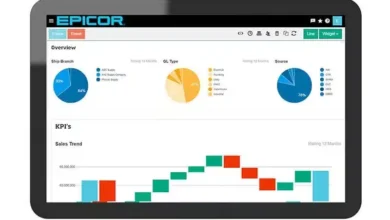
Odoo software revolutionizes business management with its versatile features and seamless functionalities, catering to a wide range of industries. Dive into the world of Odoo and unlock endless possibilities for your business growth.
Advertisement






Introduction to Odoo Software
Odoo, formerly known as OpenERP, is a suite of business applications that includes a variety of modules to manage different aspects of a company. It was developed in 2005 by Fabien Pinckaers and has since grown to become one of the leading open-source ERP solutions in the market.
Key Features and Functionalities
- Odoo offers a wide range of integrated applications such as CRM, inventory management, project management, accounting, manufacturing, and more.
- It provides a user-friendly interface and customizable workflows to suit the specific needs of different businesses.
- Odoo also offers a wide range of third-party integrations to enhance its functionality and meet the diverse requirements of its users.
- With a modular approach, users can start with basic features and add more modules as their business grows.
Target Audience
Odoo software is ideal for small to medium-sized businesses looking for a cost-effective and flexible ERP solution. It caters to a wide range of industries including retail, manufacturing, e-commerce, services, and more.
Industries Using Odoo Software
- Retail: Odoo’s point of sale, inventory management, and e-commerce modules are popular among retail businesses looking to streamline their operations.
- Manufacturing: The manufacturing module in Odoo helps companies manage their production processes, inventory, and supply chain efficiently.
- Services: Service-based businesses such as consulting firms, marketing agencies, and IT companies benefit from Odoo’s project management and time-tracking features.
Installation and Setup
Installing and setting up Odoo software is a crucial step to ensure smooth operations and maximize its benefits. Below is a detailed guide on how to install and set up Odoo software effectively.
Advertisement
System Requirements
To install Odoo software, ensure that your system meets the following requirements:
- Operating System: Odoo is compatible with Windows, macOS, and various Linux distributions.
- Processor: Intel Core i5 or equivalent.
- RAM: Minimum 4GB RAM, recommended 8GB or higher for optimal performance.
- Storage: At least 40GB of available disk space.
- Database: PostgreSQL database server.
Installation Process
To install Odoo software, follow these steps:
- Download the Odoo installation package from the official website.
- Extract the downloaded file to a specific directory on your system.
- Install the required dependencies like Python, PostgreSQL, and other libraries.
- Configure the PostgreSQL database and create a new database for Odoo.
- Run the Odoo installation script and follow the on-screen instructions.
- Access Odoo through a web browser and complete the initial setup wizard.
Common Installation Issues and Troubleshooting
During the installation process, users may encounter common issues such as:
Advertisement
- Dependency Errors: Ensure all required dependencies are installed and up to date.
- Permission Problems: Set appropriate permissions for Odoo directories and files.
- Database Connection Errors: Check the database configuration and credentials.
- Port Configuration Conflicts: Ensure Odoo is not conflicting with other services on the same port.
Remember to refer to the Odoo documentation and community forums for additional troubleshooting tips and solutions.
Modules and Customization
Odoo software offers a wide range of modules that cater to various business needs. Users can customize these modules to fit their specific requirements, ensuring a tailored solution for their organization. Let’s delve into the different modules available and how customization can be achieved.
Available Modules in Odoo Software
- Sales
- CRM
- Inventory
- Accounting
- Project Management
- Human Resources
Customizing Modules in Odoo
Users can customize modules in Odoo by altering existing features, adding new fields, workflows, or reports to meet their specific business needs. This flexibility allows for a personalized experience tailored to the organization’s requirements.
Adding New Modules to Odoo Software
Adding new modules to Odoo software involves installing the desired module from the Odoo App Store or through direct upload. Users can then configure and customize the new module to seamlessly integrate it into their existing system.
Popular Third-Party Modules for Integration
- Shopify Connector: Integrates Shopify e-commerce platform with Odoo for streamlined operations.
- Magento Connector: Connects Magento e-commerce platform with Odoo for efficient order management and inventory synchronization.
- WooCommerce Connector: Links WooCommerce online store with Odoo to manage sales and inventory effectively.
User Interface and User Experience
Odoo software offers a user-friendly interface designed to enhance user experience and efficiency in managing various business operations.
User Interface of Odoo Software
The user interface of Odoo software is intuitive and visually appealing, featuring a clean layout with easy access to all modules and functions. Users can customize their dashboard to display the most relevant information and tools for their daily tasks.
- Clear and organized menu: The menu structure in Odoo is well-organized, making it easy for users to navigate through different modules and features.
- Drag-and-drop functionality: Users can easily customize their workspace by rearranging modules and widgets using drag-and-drop functionality.
- Responsive design: Odoo’s interface is responsive, ensuring a seamless user experience across various devices and screen sizes.
Navigation through Features and Modules
Navigating through the different features and modules in Odoo is straightforward, allowing users to access the tools they need efficiently.
- Search functionality: Users can quickly search for specific features or modules using the search bar located at the top of the interface.
- Favorites: Users can mark their favorite modules for quick access, streamlining their workflow.
- Breadcrumbs: The breadcrumb navigation at the top of the interface helps users track their path and easily go back to previous pages.
Optimizing User Experience in Odoo Software
To optimize the user experience within Odoo software, users can follow these tips:
- Customize dashboard: Tailor the dashboard layout to display the most relevant information and shortcuts for quick access to frequently used features.
- Utilize keyboard shortcuts: Learn and use keyboard shortcuts to speed up navigation and perform tasks more efficiently.
- Training and support: Take advantage of training resources and support available to learn how to maximize the capabilities of Odoo software.
Integration and Compatibility
Odoo software offers extensive integration capabilities, allowing seamless connectivity with various tools and systems. This flexibility enables users to streamline their workflows and optimize efficiency by incorporating Odoo into their existing software solutions.
Popular Integrations with Odoo Software
- Integration with eCommerce Platforms: Odoo can be easily integrated with popular eCommerce platforms such as Shopify, Magento, and WooCommerce, enabling businesses to synchronize their online stores with Odoo’s inventory, sales, and customer data.
- Payment Gateways Integration: Odoo supports integration with major payment gateways like PayPal, Stripe, and Authorize.Net, facilitating secure and convenient online transactions for customers.
- Accounting Software Integration: Odoo seamlessly integrates with accounting software like QuickBooks and Xero, ensuring accurate financial data synchronization and streamlined accounting processes.
- CRM Integration: Odoo’s CRM module can be integrated with customer relationship management systems like Salesforce, enabling businesses to manage customer interactions and sales processes efficiently.
- Marketing Automation Tools Integration: Odoo can be integrated with marketing automation platforms such as Mailchimp and HubSpot, allowing businesses to create targeted marketing campaigns and track campaign performance within the Odoo system.
Reporting and Analytics
Reporting and analytics are essential components of Odoo software, providing users with valuable insights to make informed business decisions. By utilizing the reporting functionalities within Odoo, users can analyze data, track performance, and monitor key metrics to optimize their operations.
Custom Reports and Analytics
Custom reports and analytics can be generated in Odoo, allowing users to tailor their data analysis to meet specific business needs. Users can create personalized reports by selecting relevant data fields, applying filters, and choosing visualization options to present the information in a clear and concise format.
- Users can customize reports by selecting specific data fields and metrics to include in the analysis.
- Filters can be applied to refine the data and focus on specific criteria for more targeted insights.
- Various visualization options, such as charts, graphs, and tables, can be utilized to present the data in a visually appealing and easy-to-understand format.
Importance of Data Analysis for Decision-making
Data analysis plays a crucial role in business decision-making within Odoo software. By leveraging the reporting and analytics features, users can gain a deeper understanding of their operations, identify trends, and uncover opportunities for improvement. This data-driven approach empowers businesses to make strategic decisions based on real-time insights and actionable information.
Effective data analysis in Odoo software can help businesses optimize processes, streamline operations, and drive growth by identifying areas for improvement and implementing targeted strategies.
Security and Data Privacy
When it comes to security and data privacy, Odoo software takes various measures to protect user data and ensure compliance with privacy standards.
Security Measures
- Odoo software employs encryption techniques to secure data transmission and storage, safeguarding sensitive information from unauthorized access.
- Regular security audits and updates are conducted to address any vulnerabilities and enhance the overall security of the system.
- Access controls and user permissions are implemented to restrict data access based on roles and responsibilities, reducing the risk of data breaches.
- Two-factor authentication is available to add an extra layer of security and verify user identities during login.
Data Privacy Policies
- Odoo software adheres to data privacy regulations such as GDPR (General Data Protection Regulation) to protect user privacy and ensure the lawful processing of personal data.
- User data is stored securely and confidentially, with clear guidelines on how data is collected, used, and shared within the software.
- Privacy settings allow users to control their data and choose who can access their information, enhancing transparency and trust.
Tips for Data Security
- Regularly update your Odoo software to the latest version to benefit from security patches and enhancements.
- Implement strong password policies and encourage users to use unique, complex passwords to protect their accounts.
- Educate users on data security best practices, such as avoiding sharing login credentials and enabling security features like two-factor authentication.
- Monitor user activity and access logs to detect any suspicious behavior or unauthorized access attempts, taking prompt action to mitigate risks.
Support and Community
Odoo software offers various support options for users to ensure a smooth experience with the platform. Users can access help resources and documentation easily to troubleshoot issues and learn more about the software. Additionally, the Odoo community plays a crucial role in supporting users and fostering collaboration among the community members.
Support Options
- Users can benefit from online support through the Odoo website, where they can find FAQs, user guides, and video tutorials to address common issues.
- For more personalized assistance, users can opt for paid support plans that offer direct access to technical experts for in-depth troubleshooting and guidance.
- Odoo also provides community forums where users can interact with other users, share knowledge, and seek help from experienced community members.
Help Resources and Documentation
- Users can access comprehensive documentation on the Odoo website, including detailed guides on installation, configuration, and customization of modules.
- The documentation also covers best practices, tips, and tricks to help users optimize their experience with Odoo software.
- In addition to documentation, users can utilize the knowledge base to search for specific topics or issues and find solutions provided by the community.
Odoo Community
- The Odoo community is a vibrant ecosystem of developers, partners, and users who actively contribute to the improvement and growth of the platform.
- Community members share extensions, modules, and customizations, enhancing the functionality of Odoo software for all users.
- Users can engage with the community through forums, events, and local user groups to network, learn from others, and collaborate on projects.
Pricing and Licensing
Odoo software offers a flexible pricing structure to cater to the diverse needs of businesses. Let’s delve into the details of the pricing and licensing options available for users.
Pricing Structure
- Odoo operates on a subscription-based model, where users can choose from different pricing plans based on the number of users and the features required.
- The pricing plans are divided into categories such as CRM, Sales, Inventory, Website, and more, with varying costs depending on the modules selected.
- Users can opt for monthly or annual subscriptions, with discounts often offered for annual commitments.
Licensing Options
- Odoo offers a dual licensing model, allowing users to choose between the Community Edition (CE) and Enterprise Edition (EE).
- The Community Edition is open-source and free to use, providing access to basic features and functionalities.
- The Enterprise Edition, on the other hand, comes with additional advanced features, support, and services, requiring a subscription fee.
Additional Costs
- While the Community Edition is free to use, users may incur additional costs for customizations, integrations, training, and support services.
- For the Enterprise Edition, the subscription fee covers the cost of licensing, support, updates, and maintenance, but additional costs may apply for specific modules or services.
- Users should also consider any hardware requirements, third-party integrations, and implementation costs when budgeting for Odoo software.
Case Studies and Success Stories
Implementing Odoo software has led to significant improvements in various businesses, resulting in enhanced efficiency and growth.
Business A: Retail Company
- Business A, a retail company, successfully implemented Odoo software to streamline inventory management and sales processes.
- With Odoo’s integrated modules, Business A was able to track product availability, manage orders effectively, and improve customer satisfaction.
- As a result, Business A experienced a 20% increase in sales and a 30% reduction in operational costs within the first year of using Odoo.
User Testimonial: Company B
“Odoo software has revolutionized the way we operate our business. It has simplified our workflow, increased productivity, and allowed us to focus on strategic growth initiatives.” – CEO of Company B
Impact on Business Operations
| Improved Efficiency | Enhanced Productivity | Cost Savings |
| Streamlined Processes | Better Decision-Making | Increased Revenue |
Conclusion
Discover the power of Odoo software to streamline your operations, enhance user experience, and drive business success. Embrace innovation with Odoo and elevate your business to new heights.

Contributing author focused on delivering fresh perspectives and timely information.